
Run an event your crowd remembers, all from one screen
Quick-fire trivia, word scrambles, and picture puzzles, played from everyone's phones. You steer the whole event from a single control panel. Here's exactly what that looks like, with no surprises at your event.
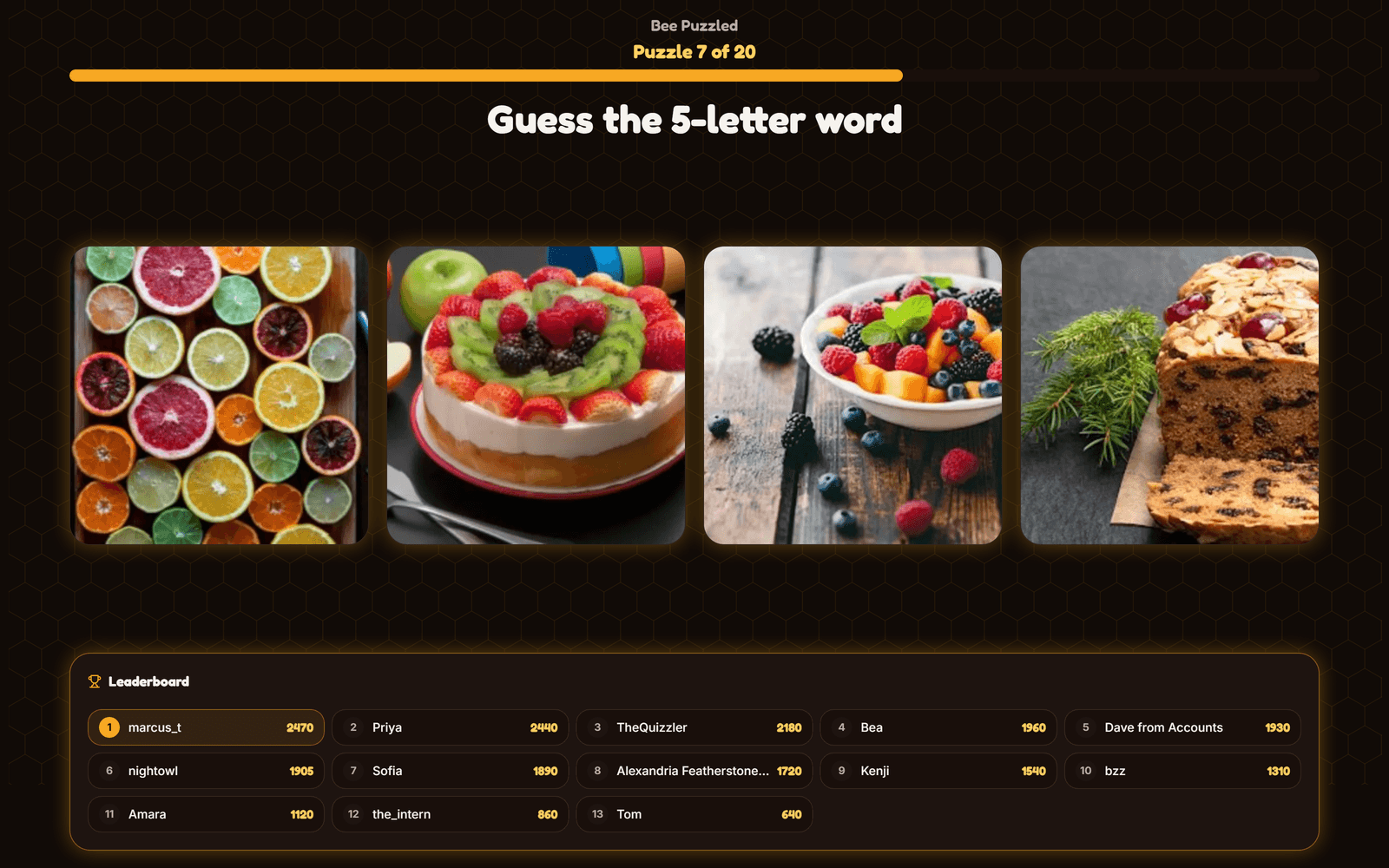
The whole event, in four frames
From an empty room to a winner, here's how the whole event goes.
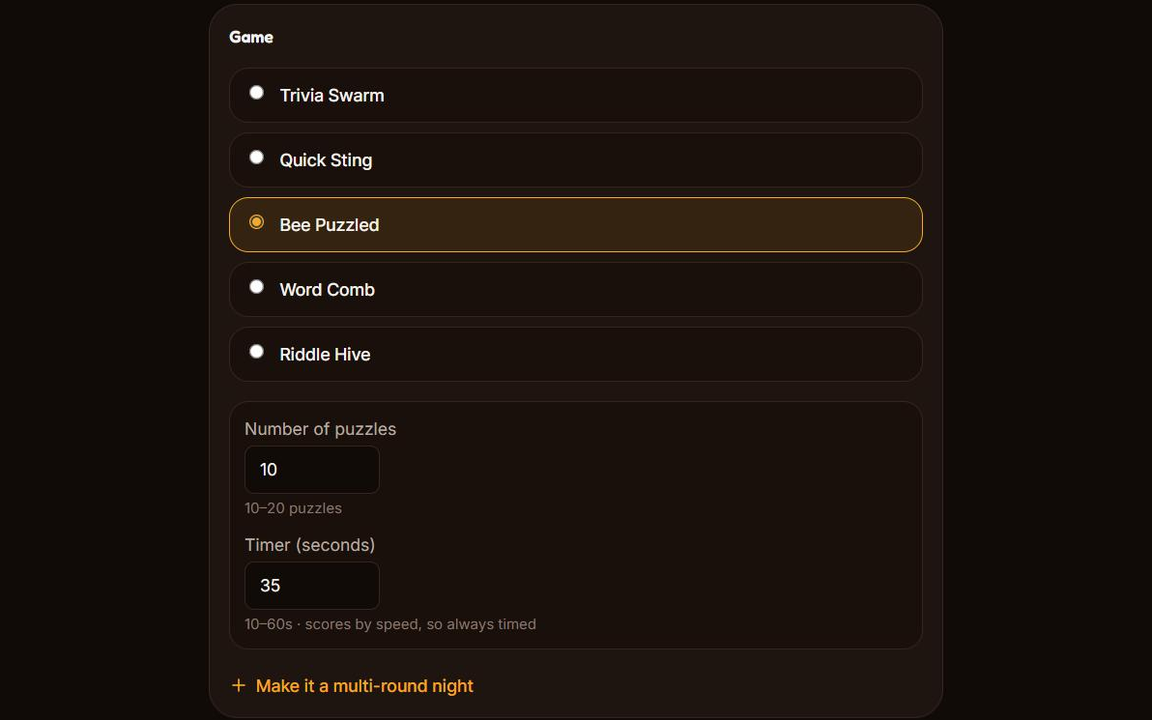
Set it up
Pick your games, a date, and a capacity. It takes about five minutes.
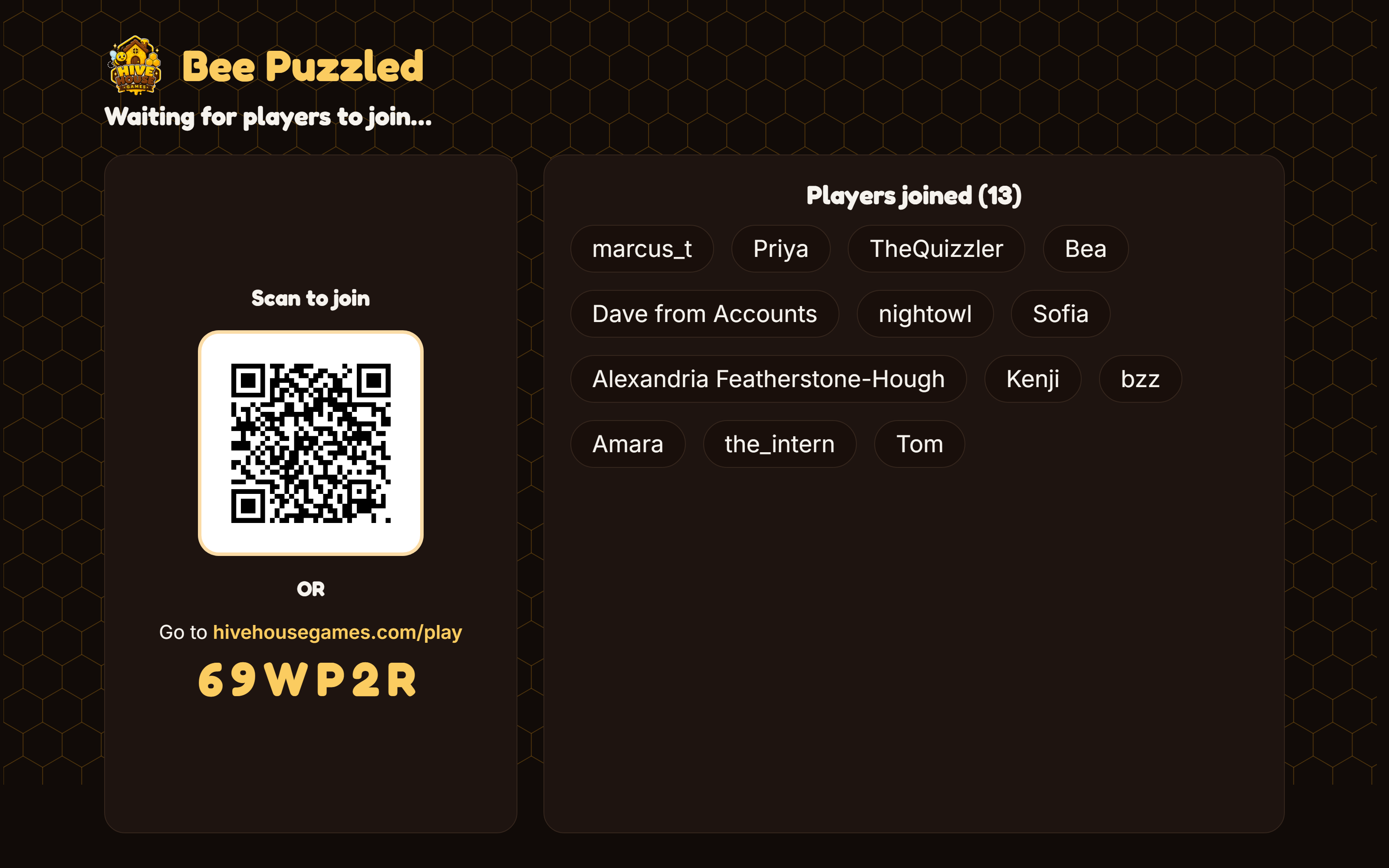
They arrive
Players join with a code or a QR scan, no app and no sign-in. Their names fill your screen as they come in.
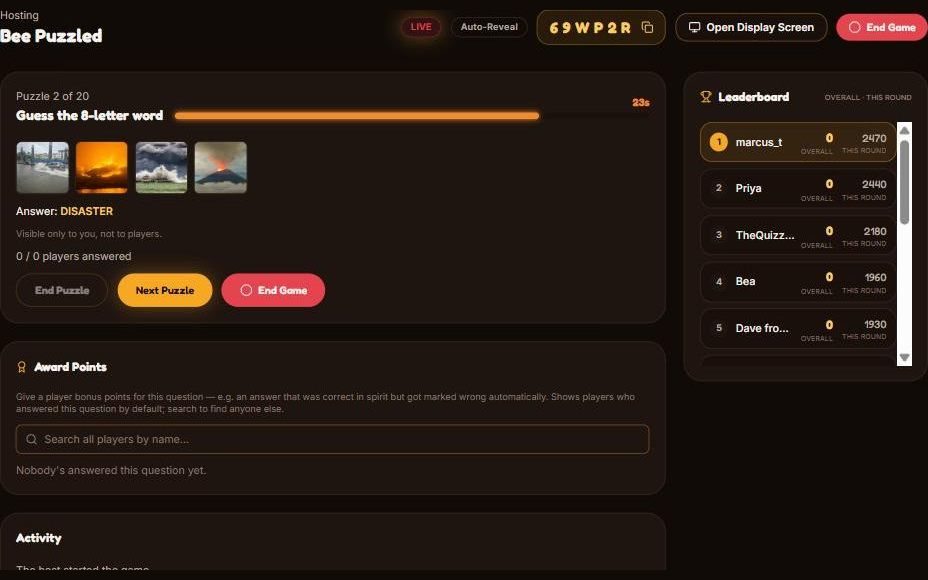
You run it
You can reveal answers, advance rounds, and watch the leaderboard move, all from one panel.
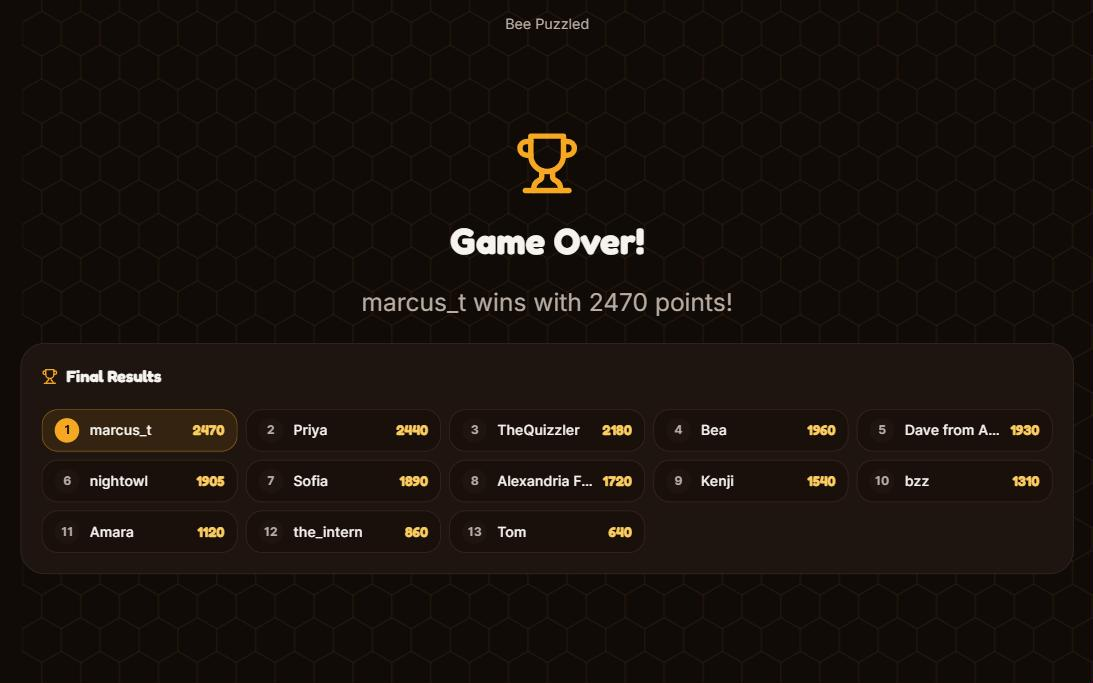
Someone wins
The final standings go up on the big screen. The room does the rest.
Everything you run the event from
It's all one panel, with nothing hidden and nothing to hunt for. Here's a look at each part.
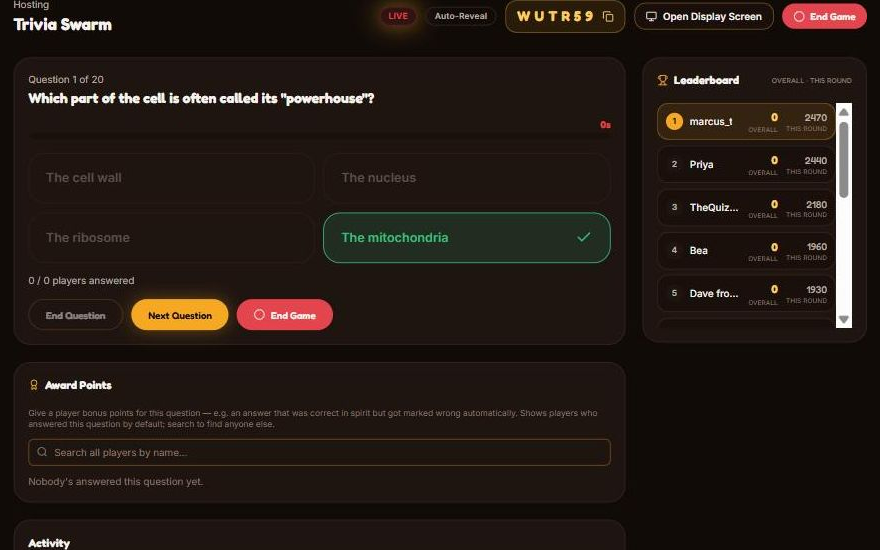
- The question card: just what the room is seeing
- Accepted answers: visible only to you
- Live answer counts as people lock in
- End Question: wrap it up once everyone's in
- Next Question: move on whenever you're ready
- The live leaderboard down the side
- Award Points: nudge a score when someone's right in spirit
- The activity feed: who joined, who answered
What you control
Every game
- How many questions or puzzles a round runs
- How long each one stays on screen
- Reveal answers automatically, or on your cue
- End a question early once everyone's locked in
- Award bonus points for an answer that was right in spirit
- Upload your own questions on Pro or Team
Per game
- Riddle Hive: show or hide other players' guesses on the board
- Word Comb: how many puzzles a round holds
About five minutes to set up
Pick your games, set a date and a capacity, and share the code. That's really all it is. Hosting the same event again? You can reuse a past setup in under a minute. You're planning this into a real evening, so five minutes is all you need.
Hosting over a video call
It works the same on Zoom, Meet, or Teams as it does in a room. You share the Display Screen like any other window. Nobody installs anything, and your players just scan the QR code or open the link on their phones and play along from home.
What you need at your event
- A laptop you're signed in on. The shared Display Screen, the screen the whole room follows, is tied to your host account, so it runs on a device where you're logged in. The easiest way to do it is to connect your own laptop to the projector or TV with an HDMI cable, open the Display Screen, and you're ready to start.
- A projector or big screen. If you'd rather use a venue's house PC than your own laptop, you'd just sign into your Hive House Games account on it to open the Display Screen. Prefer not to? Bringing your own laptop and an HDMI cable keeps it simple.
- Players on their own phones. They join with the code or a QR scan, no app and no sign-in. Only your device, as the host, needs an account.
Built for real rooms
Phones lock. Wifi dips. Someone walks in fifteen minutes late. The game keeps its place through all of it.
- A dropped phone comes back on its own. It says “Reconnecting” for a moment, then drops the player back into the question everyone else is on, with their score intact.
- Late arrivals just join. The same code works all evening, so someone who walks in during round two is playing a minute later.
- A refresh never loses your place. Any screen, any device, any time. It comes back exactly where the game is.
The money, told straight
You sell tickets on your own event page, with payouts going straight to your bank through Stripe, the same company that handles card payments for millions of businesses. We take a platform fee per paid ticket, by plan:
| Plan | Platform fee |
|---|---|
| Free | 4% + $1.25 |
| Pro | 3% + $1.00 |
| Team | 2% + $0.75 |
Stripe's card-processing fee will be separate, and on top. That's Stripe's charge for taking the payment, not ours. You'll choose whether to absorb the platform fee from your payout or add it to the buyer's total at checkout. Free and $0 events never touch any of this.
What would it cost me?
Put your own event in. Every figure below is the total the host pays, with card processing included, so you are comparing the same thing on every row.
Eventbrite only sells the ticket. A Hive House Games plan runs the event itself: the games, the live hosting, the display screens, and as many events as your plan allows. So every row compares total cost to total cost, and what you get for that cost is where they differ.
Free
$206.80a month
- Subscription
- $0.00
- Platform fee
- $148.00
- Processing
- $58.80
- Per ticket
- $2.59
ProCheapest
$194.80a month
- Subscription
- $20.00
- Platform fee
- $116.00
- Processing
- $58.80
- Per ticket
- $2.19
Team
$242.80a month
- Subscription
- $100.00
- Platform fee
- $84.00
- Processing
- $58.80
- Per ticket
- $1.79
Eventbrite
$222.40a month
- Subscription
- $0.00
- Service fee
- $187.60
- Processing
- $34.80
- Per ticket
- $2.78
Our rows include Stripe card processing at 2.9% plus $0.30 a transaction, which Stripe bills you directly on top of our fee. Per ticket is fees only; the subscription is a monthly cost and is on its own line.
Eventbrite fees as published on September 24, 2026: 3.7% plus $1.79 a ticket, plus 2.9% processing. Their pricing page. Both sides assume one ticket per order, which is the assumption least favorable to us.
Questions hosts ask
- Do players need an account or an app?
- No. They join with a short code or a QR scan, straight from a browser. Only you, the host, need an account.
- What if I've never run one of these?
- That's exactly who this page is for. Everything runs from a single panel, and you can end a question or move on whenever you like. Nothing gets away from you.
- Can I try it before an event?
- Yes. You can run an Instant Play solo to see the whole flow before a real event.
- Is it only for in-person events?
- No. You can share the display over a video call, and players join from wherever they are.
Ready when you are
Setup takes about five minutes, and you can change anything afterward.
Create an eventSee plans and pricing